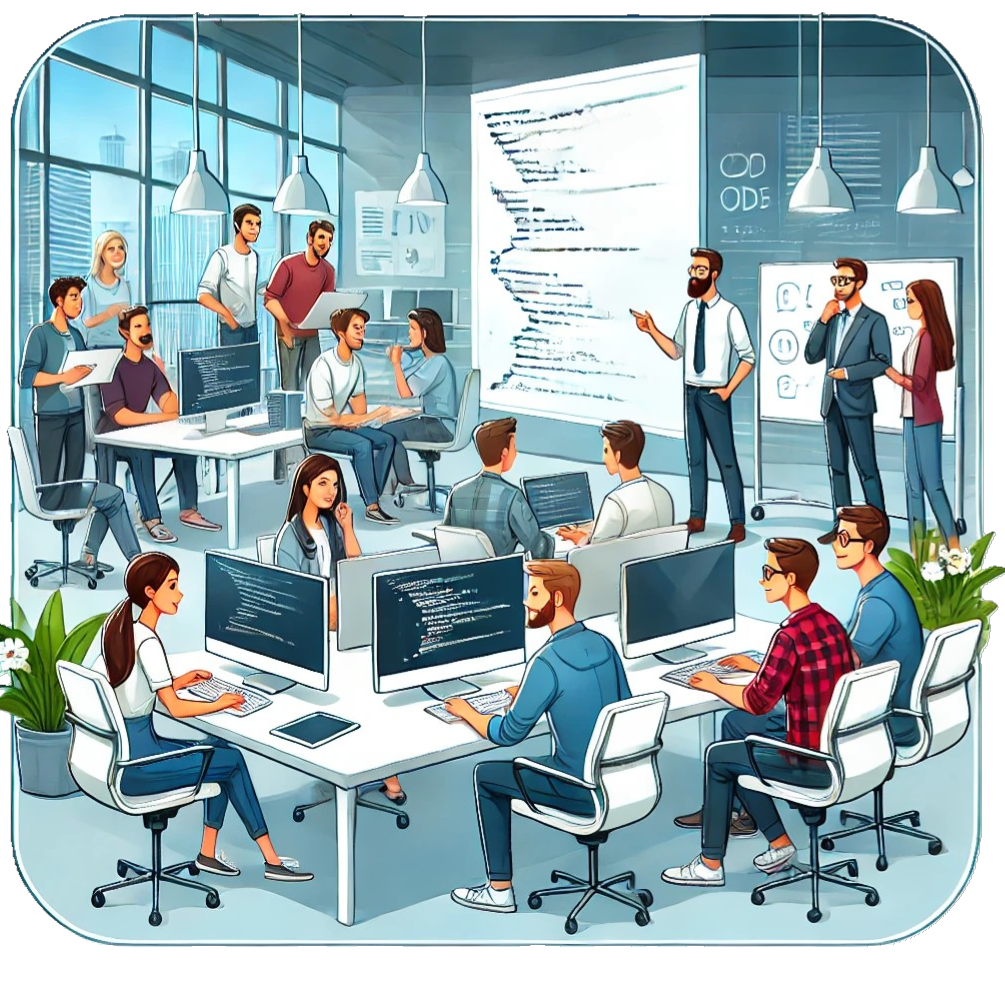
Traditional Classroom vs. Distance Learning .. Round 100

The concept of technology supporting the process of learning has been studied for nearly 100 years if you go back to Pressey and the first teaching machine. (http://www.cognitivetechnologies.net/?p=283). Despite a century of research and practice, there continues to be an ongoing battle between the traditional instructor led classroom model and model that integrates technology and people.

I am currently working in a commercial sales and marketing training organization. We currently teach our sales workforce through 80-90% instructor led face to face classroom events or role play. Only 10-20% of learning is driven through e-learning or virtual live learning. Money is not an obstacle. Availability of technology is not an obstacle. These two variables have been removed from the equation. We have an enterprise LMS, so this variable has been removed. We have the means to create e-learning, provide virtual live learning, through video, 2D and 3D live environments.

The executives are once again asking for “efficiencies” in training costs. I have heard the story over and over again. They believe the answer lies in virtual distance learning. That is also a very old story. And of course, the classroom trainers are adamantly against the transition to virtual distance learning.

There must be a legitimate reason for this ongoing struggle related to organizational and learning theory. I am starting to believe that we have been going about it all wrong. Theories in social learning, situated learning and experiential learning tell us that we learn in authentic environments within social networks. Lave and Wenger, suggest that individual learning is inseparable from social networks. In fact, I as I continue to read the literature on learning, I believe that the inclusion of a social component to any learning program is imperative.

Myth: Learning Styles should influence instrucional strategies

The research in this area has concluded that there is no need to worry ourselves about different learning styles. Different learning styles or experience with learning delivery methods may indicate what you like but it does not impact learning outcomes. So it has been proven. It is a myth that one generation, or one learning style, warrants the development of a unique learning methodology. It is totally bogus. If you design the instruction correctly, it doesn’t matter whether it’s in a classroom, elearning or in a 3D virtual game. It doesn’t matter whether you are 25 or 85. What matters is that the instructional strategy matches the desired learning outcomes. What matters is that you provide the right level of challenge, practice, feedback and evaluation. It is also important that we provide for adaptive learning to accommodate varying levels of experience and competency, but learning style is irrelevant.

“Consistent with the present results, Coffield, Moseley, Hall, and Ecclestone (2004) found no evidence that matching instruction to an individual’s sensory strengths was any more effective than designing content-appropriate forms of education and instruction.”

References

Arbuthnott K.D., & Kratzig P.G, (2006) Perceptual Learning Style and Learning Proficiency; A test of Hypothesis, Journal of Educational Psychology 98, 238-246

Coffield, F., Moseley, D., Hall, E., & Ecclestone, K. (2004). Learning styles and pedagogy in post-16 learning: A systematic and critical review (Report No. 041543). London: Learning and Skills Research Centre.

Ikseon Choi, Sang Joon Lee and Jeongwan Kang (2009), Implementing a case-based e-learning environment in a lecture-oriented anaesthesiology class: Do learning styles matter in complex problem solving over time?*, British Journal of Educational Technology

Harold Pashler,1 Mark McDaniel,2 Doug Rohrer,3 and Robert Bjork4, (2009) Learning Styles Concepts and Evidence, Association for Psychological Science

Is there Time at Work for Transformative Learning and do Companies Care?

Consider Mezirow’s(1997) definition of transformative learning, “the process of effecting change in a frame of reference”. Mezirow (1997) defines a frame of reference as, “the structures of assumptions through which we understand our experiences.” Transformative learning, Mezirow explains, occurs when one engages in critical reflection of their current knowledge as well as their current paradigms.

I recently joined a pharmaceutical company in the commercial sales and marketing division. I work in learning and development profession. In my prior job, I worked in a research and development division. Something that I noticed almost immediately in a sales and marketing organization is an addiction relying on external experts. I can hardly attend a meeting without a consultant in the room. The impact is that people become content with mere informative learning from the experts. Transformative learning opportunities are lost unless we take the time to question the experts. Ask them to “show you the research.” Mark Twain said, “It ain’t what you don’t know that gets you into trouble. It’s what you know for sure that just ain’t so.” All too often, people just accept the knowledge given to them by the so called experts. They are certain it’s so and develop strategies around it. What people are doing to abandoning the opportunity to ask questions, analyze the information, and synthesize their own conclusions.

In a recent talk by Noreena Hertz on TED, she points out the impact on too much reliance on experts. “We’ve become addicted to their certainty, their assuredness, their definitiveness, and in the process, we have ceded our responsibility, substituting our intellect and our intelligence for their supposed words of wisdom. We’ve surrendered our power, trading off our discomfort with uncertainty for the illusion of certainty that they provide (Hertz, 2011).”


References

Hertz, N. (2011, February). How to use experts — and when not to. TED. Retrieved from http://www.ted.com/talks/lang/eng/noreena_hertz_how_to_use_experts_and_when_not_to.html

Merriam, S. B. (2004). The Role of Cognitive Development in Mezirow’s Transformational Learning Theory. Adult Education Quarterly, 55(1), 60-68. doi: 10.1177/0741713604268891

Mezirow, J. (1997). Transformative Learning: Theory to Practice. New Directions for Adult and Continuing Education, 1997(74), 5-12. doi: 10.1002/ace.7401

Why do people hate their LMS?

If you were to poll 100 companies with enterprise wide learning management systems, very few people would say that they are entirely pleased with how the system meets requirements. I’ve work in the SAP Learning Solution, Plateau and Saba LMS. In many ways they are kind of similar for the end user experience. However the experience for the administrators is quite unique. Very few systems will meet both the needs of your administrators and end users.

User Experience

You log-in, you see a learning dashboard and it lists the courses you are currently enrolled in and maybe has some alerts for compliance courses that are “over-due.” Unless it’s been turned off, you can also search the course catalog and locate courses that can help you with your employee development plans. This is where most people begin to hate their LMS.

Let’s see, I am struggling with a particular procedure, process or company software program. I will simply log into my corporate LMS, type in a few search terms and locate a few options. What usually happens is that you get a list of courses that are irrelevant, each 1-hour long when all you are looking for is a 10 minute lesson on how do “… you fill in the blank.” Don’t get me started that the courses that have appeared on the screen are probably all boring page turners. So you look at the list of courses that came up in the search. You have no idea which one will answer your question, so you abandon it and either go ask a co-worker or go to YouTube. However, most big corporations have closed out access to YouTube so I can’t use that resource either.

Practical Solutions to the Problem

  • Create smaller application based learning modules (5-10 minutes each). Use the curriculum and learning path capabilities of  your LMS to string things together if you want to build a program, but allow learners the option to get right to what they need to learn or skill they need to practice. Don’t force someone to wade through 20 lessons to find one relevant piece of instruction. Don’t worry, no one will ever do it.
  • Develop a tagging strategy to help your LMS users with searching. Find out what people are looking for and how they look for it. For example you should probably tag content with the business organization that it pertains to. If it is company wide, tag it as such. If it is very specific to an single department, make it clear in your search tags.
  • PLEASE build more interesting and succinct e-learning. Read Dr. Michael Allen, Clark Quinn, and Ruth Clark and learn a bit more about how to develop learning that is both fun and instructional. It will not cost a fortune and it will not require high end Flash or art skills. Some tools will provide more flexibility than others. “Slide to Flash” conversion tools provide the lowest levels of flexibility. Screen capture tools with scripting allow a bit more. Template based tools provide flexibility, but only if you have resources to customize the templates. Smart Builder, currently is a tool in it’s very own category, “drag-n-drop authoring tool.” You drag elements to the screen and assemble them into an interactive learning exercise. There is no need for a back and next button but you can add them if you must. After reading Dr. Allen, Quinn and Clark, evaluate your authoring tools options or vendor options to see how they can help you deliver 5-star learning (Dr. David Merrill).

What’s the future of the enterprise LMS? Will it simply become a back-end administrative tool for managing content and learner records? Will the interface evolve with next generation demands?

Where can I get a Ph.D in Instructional Technology?

Here’s a reference list of universities that offer a Ph.D in Instructional Technology.

Brick & Mortar

Online

  • Walden University (Ph.D. in Instructional Technologies)
  • Capella University

Hybrid Program (traditional school with online offering)

Is Mobile Learning .. learning?

Is mobile learning, learning? It depends on your definition of learning. I think we all agree upon the definition of mobile. We take our learning with us on the road. By this definition, a laptop, tablet or mobile phone, all fall into the category of mobile devices.

Learning can be defined in several ways. In the “Cambridge Handbook of Multimedia Learning” Mayer defines learning as “a process by which people build mental representations from words and pictures.” Mayer explains that as a user views different types of media, they construct knowledge. The process of constructing knowledge is what Mayer refers to as learning.That’s a fairly simplistic, overly simplistic in fact, view of what learning is all about.

However, in a more recent book by Mayer, “Applying the Science of Learning”, Mayer defines learning as “a change in what the learner knows, caused by a learner’s experience”(Mayer, 2011). This definition paints a much different picture of hands on practice of the behavior or skill that you need to learn. It paints a picture of a person applying information in a real situation, solving a problem, failing at times and changing behaviors until they have mastered the new skill.

If we refer to Bloom’s taxonomy of learning. The first level of the taxonomy is the acquisition of knowledge. Once one has acquired knowledge, he/she can now apply that knowledge to learn a new skill.

So, let’s consider these definitions of learning and consider what’s going on inside a mobile learning application. A user navigates through a library of content consisting of either short video clips, audio clips, HTML pages with links to additional content, or a slide presentation. The only interactive content on the more popular mobile learning applications is a simple quiz.

Where’s the learning? Where’s the experience when a person watches a video, reads a web page or listens to an audio lecture? I suppose it depends on the quality and relevance of the information. I find myself engaged when I am listening to a podcast of something that is relevant to problems I am currently working on. However, what’s the difference between an application that allows you to search and play video or audio clips and a mobile website that does the same?

Let’s take a look at a different application that teaches. This application, built for the iPhone or iPod Touch, provide a person with skills practice and very complex metrics on performance over time. This application applies cognitive science principles that help to improve memory, flexibility, response time, attention and problem solving skills. You can play the games over and over again, during which time you begin to “change your behaviors”, and “build new strategies”.

Summary

I realize that there is value in having a library of reference materials at your finger tips. If you search the app store on your mobile device you will find 100s of applications that fall into the category of reference libraries but can we really call them mobile learning applications?

References

Mayer, R.E. (2011), Applying the Science of Learning, Pearson Education Inc. (p. 14-15)

What do we mean by Rapid eLearning Development?

Consider the tools on a scale from high end flexibility < > rapid deployment. Some tools provide for rapid deployment but are limited in their flexibility to deliver higher end instructional strategies. In other words, a tool like Articulate might allow you to quickly deploy a knowledge or comprehension instructional strategy but as you move up Blooms Taxonomy to application, analysis and synthesis, you are going to have to pull in other tools like Captivate (for application outcomes) and Flash (for experiential learning activities that allow for analysis and synthesis outcomes).

Here’s my ranking of the more common tools on the market. There are many others but you can probably put them into one of these categories.

  • Programming & Graphics Tools: Flash, Dreamweaver (DHTML) are on the high flexibility side but require higher end skills and more time to develop. However you can design your heart out with these tools. You can implement nearly any instructional strategy with these tools.
  • Traditional Authoring Tools: Lectora & Toolbook are somewhere in the middle because it allows for scripting. Lots of flexibility, rapid tools built in but require programming skills to get the flexibility out of them.
  • Template Based Tools: ProForm is a blend of rapid development with the flexibility to customize using Flash. Udutu and Raptivity fall into this category but do not allow for the level of customization that ProForm allows for.
  • Screen Capture Tools: Captivate and Camtasia might come next. These are quick development tools but to create branching simulations with variables you need some practice. These are very time consuming tools. A 20 step software application with no branching can require up to 8 hours of development, taking into account design, writing the captions, building and adding audio narrations.
  • Slide Conversion Tools (Page Turner Generators): Articulate and other PPT to Flash conversion tools have limited flexibility in implementing instructional strategies but are very fast in terms of development and require low end technical skills. Yes you can insert Captivate animations, custom Media and custom Flash but you have now introduced the more complex tools. Articulate alone is best suited for addressing knowledge and maybe comprehension objectives but not much higher on Blooms Taxonomy, without a little help from their friends from Adobe (Photoshop, Flash, Captivate).

Final Word: Rapid is relevant to your skill sets. We found that ProForm was faster then Articulate in my shop to “do what we wanted to do.”

1. Write your use cases

2. Analyze your current skill sets and gaps

3. Build a strategy around those two things

Can elearning influence behavioral change?

Well designed online learning can influence behavioral change and learning. There are plenty of case studies to demonstrate this. However, critics of e-learning are making judgments based on information centric page turners which pay very little attention to adult learning principles, cognitive load theory or any learning theory for that matter. Tools such as Articulate and Captivate have made the development of online content very easy but most people are moving CONTENT online not LEARNING. One only need read the discussion threads in learning discussion boards to recognize that this a major problem.

Solutions:

(1) We need tools and techniques to develop task centric experiential learning. “Thinking Worlds” is a good example but it is very expensive and requires the ShockWave plugin. However it is a step in the right direction. The branching capabilities of ProForm also provide a major improvement to information centric authoring tools.

(2) We need to integrate socialization into the mix. To date, blended learning means: Information centric elearning (boring) + Information centric webinars (boring) are supposed to equal learning. The learning happens during times of reflection, dialogue with peers, and finally construction of new knowledge schema during application. We need to integrate Web 2.0 (blogs, wikis) or even Web 3.0 (3D virtual immersive environments) into the blend to provide for dialogue and a social presence (a sense of being in the virtual environment with other people). BloomFire handles the Web 2.0 stuff pretty well. Protosphere is stepping up to plate to handle the Web 3.0 capabilities.

References

Allen, Michael W. Michael Allen’s guide to e-learning building interactive, fun, and effective learning programs for any company. New York: John Wiley, 2003. Print.

Kapp, Karl M., and Tony O’Driscoll. Learning in 3D, Adding a New Dimension to Enterprise Learning and Collaboration. San Francisco, CA: Pfeiffer, 2010. Print.

Merrill, M. David. “A Task-Centered Instructional Strategy.” Journal of Research on Technology of Education 40.1 (2007): 33-50. Print.